Snapchat Plus Free Trial: How to Start It (and Cancel Before You Pay)
The free trial is the easiest way to use Snapchat+ without paying. It takes about a minute to start. The tricky part is everything around it: knowing whether you're eligible, why the offer sometimes isn't there, and cancelling on the right day.
A 7-day Snapchat+ trial, day by day
- Day 1Start the trial. Screenshot the end date the store shows you.
- Days 2–4Switch on the features you want to test.
- Day 5Cancel here if you won't pay. Best day on iPhone.
- Day 6Still safe, but don't push your luck.
- Day 7Too late on iPhone: Apple needs 24 hours' notice.
- Day 8Not cancelled? You're billed for the plan you picked.
How long is the Snapchat+ free trial?
For most new subscribers it's a week. That's what shows up on the checkout screen the majority of the time, on both iPhone and Android. Still, Snapchat treats the trial as a promotional offer, which means the length can change by country, by store and by account. Some people get a longer trial during special campaigns; some get none.
So don't trust a blog post (this one included) over your own screen. Before you confirm, the store shows exactly how long the trial runs and the date you'll be charged. Screenshot that page. It's the only number that matters.
Who can get the free trial?
- People who've never subscribed. Trials are aimed at first-timers. Former subscribers tend to see discounted comeback offers instead.
- Adults. Snap's paid features terms require you to be 18 (or the legal age of majority where you live) to make a purchase.
- Accounts in a supported region. Snapchat+ is available in most countries, but specific offers roll out gradually.
How to start the free trial, step by step
In the app (iPhone and Android)
- Update Snapchat from the App Store or Google Play, then restart it.
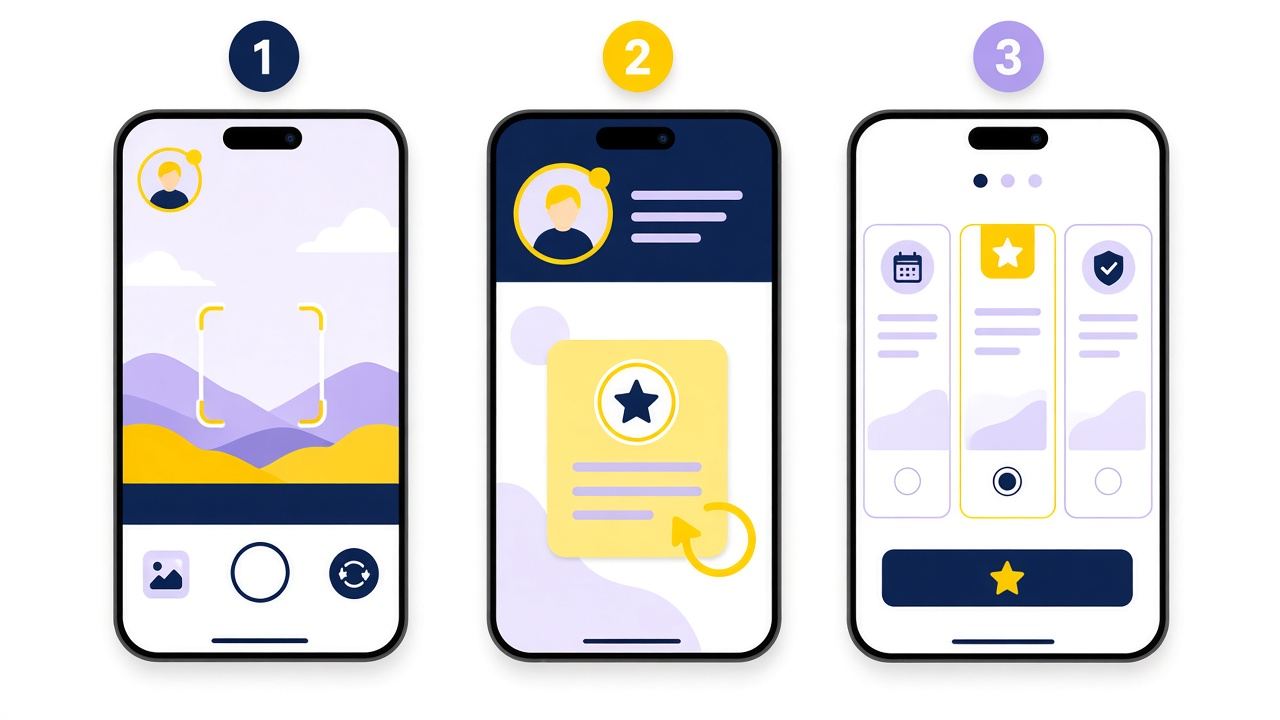
- Tap your avatar in the top-left corner of the camera screen to open your profile.
- Find the Snapchat+ banner card. It sits near the top of your profile. If other cards are covering it, swipe them away.
- Choose a plan. Eligible accounts see "free trial" and the end date on this screen.
- Confirm with Face ID, your Google account or your card. Nothing is charged today.
- Restart Snapchat if the new features don't appear straight away. Snapchat says this is sometimes needed.
On the web
You can also subscribe at snapchat.com/plus by choosing "Subscribe on web", signing in and entering your card. Web offers aren't always identical to in-app offers, so if one doesn't show a trial, check the other. Keep in mind that Platinum and Lens+ aren't sold on the web, and web subscriptions are managed from your Snapchat account page rather than from Apple or Google.
Snapchat+ free trial not showing? Here's why
This is the most common complaint, and there's almost always a boring explanation.
| Likely reason | What to try |
|---|---|
| You've subscribed before | Trials are for first-timers. Look for a comeback discount on the Snapchat+ card instead, or see the Family Plan and gift options. |
| Outdated app | Update Snapchat, force-close it and reopen it. |
| The banner card is buried | Swipe away the other cards on your profile; the Snapchat+ card often sits behind them. |
| No offer running in your region | Check again in a week or two. Offers come and go. |
| Age restrictions on the account | Purchases require an adult. Younger users can still receive a gift or join a Family Plan. |
| Wrong account signed in | Subscriptions stay on the account that buys them, so double-check the username before subscribing. |
How to get the most out of 7 days
A week goes fast. If you're only going to have Snapchat+ for a few days, spend them on the features you'd actually miss, so you can decide whether it's worth paying for. Some features are switched off by default, so open the Snapchat+ page in your settings first and flip the toggles.
- Restore a lost streak. If a streak broke recently, Streak Restore is often the single most useful thing in the subscription.
- Turn on Story Rewatch and Story Timestamps to see who watched your Story more than once, and when.
- Pin your #1 Best Friend and try the Solar System view to see where you rank with friends.
- Change the app icon and theme. It's purely cosmetic, but it's what most people end up missing.
- Download Memories you care about. If you're over the free 5 GB, the trial gives you room to sort and back things up.
Our Snapchat+ features guide explains all 40-plus perks if you want to explore further.
When to cancel so you're not charged
Put a reminder in your calendar for day 5 of a 7-day trial. That gives you a buffer for Apple's 24-hour rule, and you still get most of the week.
Why not cancel on day one?
On iPhone, cancelling a free trial can switch the features off immediately, and in the EU and UK cancelling a web subscription in the first 14 days also ends access at once. On Android, you usually keep access until the end date. If you're on iPhone, cancelling early means giving up the rest of the trial.
The steps are different depending on where you subscribed (Apple, Google or the web). They're all in our guide on how to cancel Snapchat+.
What happens when the trial ends?
If you didn't cancel, the trial converts into the plan you selected and you're billed at its normal price. If you did cancel, your account simply goes back to regular Snapchat. You keep your friends, chats, streaks and Memories. What disappears is the Snapchat+ layer: the badge, custom icons, pinned Best Friend and the rest. Memories over the 5 GB free limit aren't deleted, but Snapchat is gradually limiting access to older ones for accounts without a storage plan.
Trial already used?
Former subscribers rarely get the trial again. A gift, a Family Plan spot or a partner code still works.
Free trial FAQ
Is there a 1-month free trial of Snapchat Plus?
Not as a standard offer. The in-app trial is usually 7 days. Longer free periods, like a month, tend to come from partner promo codes, which are redeemed on the web rather than in the app.
Does cancelling end my Snapchat+ trial straight away?
It can. On iPhone, Apple may remove access to a free trial as soon as you cancel it. On Android you normally keep access until the trial end date. EU and UK web subscribers lose access immediately if they cancel in the first 14 days.
Can I use the Snapchat+ free trial twice?
Not on the same account. Trials are for people who haven't subscribed before. Snapchat sometimes shows discounted comeback offers to former subscribers instead, so check the Snapchat+ card on your profile from time to time.
Will I be charged if I forget to cancel?
Yes. When the trial ends, it turns into a paid subscription at the price of the plan you picked. If you subscribed through Apple or Google, refund requests go to them, not to Snapchat.